First: is your bill normal?
Most people who read this want to know one thing. Am I paying more than other people?
There is no normal. Anyone who gives you a number is guessing.
I have built on Bubble for eight years, and taken 120 apps live. No two apps are the same, so the numbers always differ. Very often by a lot.
Here are three real ones. I'll talk more about all 3 a little further ahead.
~2,000 users. Close to 1 million WUs per month.
~12,000 users. Around 3 million workload units per month.
~8,000 users. ~250k WUs, never paid for overages.
Look at those numbers again. My app had two thirds as many users as the marketplace, and paid nothing extra. The agency app had one sixth as many users, and still consumed substantial WUs.
So there is no number for "an app your size." Here is what actually decides your bill.
How your app was built.
The most important factor. More about this ahead.
How much data you store.
More data means more volume, more fetches and more WUs.
How many people use it each week.
Not signups, but actual active users.
That third point is important. Say two apps both have 1,000 users. In the first one, 40 people log in each day. In the second, 800 people visit each day. Same user count but very different bills.
One more thing.
A rising bill does not mean you chose the wrong platform.
When you started, Bubble was probably a good choice. You needed to prove your idea worked. Bubble is good at that.
A rising bill is normal for a growing app. Your app was built to test an idea. Now it carries real users. On Bubble, that shows up as workload units. It simply means that more work is done to service those users.
So the question is not "did I make a mistake." It's more like, "what is my bill telling me?"
How Bubble charges you
Skip this part if you already know how Bubble plans work.
Bubble sells three types of plan: web apps, mobile apps, or both together. This page uses web prices. That is what most people reading this have. Your bill has up to four parts.
1. Your plan
| Plan | Price / month | Units included |
|---|---|---|
| Free | $0 | 50,000 |
| Starter | $32 | 175,000 |
| Growth | $134 | 250,000 |
| Team | $399 | 500,000 |
If you pay for a full year at once, you get about 20 percent off. Growth drops to about $119 per month.
Something worth knowing. Almost every article about Bubble prices shows the yearly price. But most early founders pay month by month. That is a sensible choice while you are still testing your idea. So the price on your card is about 13 percent higher than the price in those articles. I'm just going to consider monthly prices here because that's a more realistic reference.
2. Workload units
A workload unit is how Bubble measures server work. You will see it written as WU inside Bubble logs and plan details.
Every database search uses some. So does every workflow, every page load, and every API call.
Only work done on Bubble's servers counts. Things that happen in the browser, like a button animation, are free. Your included amount resets every month. Unused units do not carry over.
- Button animations
- Hover and click effects
- Showing and hiding elements
- Running custom JavaScript
$0: no workload units
- Database searches+ WU
- Workflows+ WU
- Page loads+ WU
- API calls+ WU
Each one collects workload units
3. Overages
If you go past your included WU amount, Bubble charges you $0.30 for every 1,000 extra units.
Bubble calls these charges overages, and so does this page. You will see the word overage in your Bubble settings and on your bill (some other articles call them extra charges).
This happens automatically. There is no limit.
4. Workload tiers and storage
You can also buy units in advance. Bubble calls these workload tiers.
Storage above your plan limit costs about $3 for every 100 GB per month.
Prices checked August 2026. Please check bubble.io/pricing before you make any decisions.
Two competing issues with scale on Bubble
When a Bubble app grows past the way it was built, two problems build up.
You go over your included units. Overages arrive.
Pages take longer to load. Heavy screens can crash the browser. Users complain.
Most articles treat these as two separate problems. They are not. They pull against each other, and that changes how you fix them.
Why fixing one can cause the other
A lot of Bubble optimization works by moving work off Bubble's server and onto your user's browser.
Take filtering for example. Say you need a complex filter on a list. You can ask Bubble's server to do it, which costs units every time somebody uses it. Or you can pull the whole list once, hold it in the browser, and filter it there. The server does far less work. Your bill drops.
This is not a trick. It is how most fuzzy search plugins on Bubble work.
But now the browser is holding all that data. Do this on too many pages, or with too much data, and the browser starts to struggle. Pages feel slow. Tabs crash.
So you can trade one problem for the other. Most optimization work is finding the right balance between the two.
Drag the slider. Lowering one side always raises the other.
And there is an end point
Eventually you reach a state where you cannot improve either side without making the other side worse.
Your server work is as low as you can get it without overloading the browser. Your browser load is as low as you can get it without sending more work back to the server and paying more for WUs than you want to.
When both sides are maxed out at the same time, you have reached the limit of what the platform can do for your app. That is a real signal, and it is covered further down this page.
How the two competing problems showed up on some of my apps
App A: the slowness came first
I worked on an app built by a large agency. About 2,000 users. Close to 1 million WUs a month. The bill was high, but the founder had decided to live with it. So cost was not what made anyone act.
What made them act was browsers crashing. Chrome and Safari both. One admin screen had to load a few thousand rows, and staff used it every day. Part of the reason was the trade above. Plugins on that screen pulled all the data and filtered it in the browser. That kept the server work lower. It also gave every user's browser more than it could handle.
App B: the cost came first
I worked on a marketplace. About 12,000 users. One day mid 2026, it used more than 500,000 WUs (in a single day!). Normal days were under 100,000. The overages that month came to hundreds of dollars. Here the cost is what pushed them to look at their options.
App C: optimized and balanced from day 1
My own app. About 8,000 users. Growth plan. No overages at any point. That was not luck. I maintained the app as it grew.
What this means for you
If your app is getting slow, open your usage graph now. Do not wait for a large bill. If your bill went up but your app still feels fine, check your slowest pages anyway.
And when someone suggests a fix, ask which side it moves the work to. A fix that lowers your bill by loading more data into the browser has not solved anything. It has moved the problem.
Want a straight read on your app?
Start with a free scan of your app. Then I find where your WUs go and fix what really helps, not what just moves the problem.
See how I fix Bubble apps →Do this first: two settings that can lower your bill today
Two things worth checking before you open the editor. Neither one needs a change to your app.
1. You may be buying workload units the expensive way
There are two ways to pay for WUs above your plan limit.
Overages. You use the WUs first. Bubble bills you later, at $0.30 per 1,000.
Workload tiers. You buy a block of WUs in advance, every month, at a much lower price.
| How you pay | WUs | Per month | Paid yearly | Per 1,000 |
|---|---|---|---|---|
| Overages (no tier) | as used | $0.30 / 1,000 | no discount | $0.300 |
| Tier 1 | 200,000 | $29 | $26 | $0.145 |
| Tier 2 | 750,000 | $99 | $89 | $0.132 |
| Tier 3 | 2,500,000 | $299 | $269 | $0.120 |
| Tier 4 | 6,000,000 | $599 | $539 | $0.100 |
| Tier 5 | 20,000,000 | $1,499 | $1,349 | $0.075 |
The units are the same. The price is two to four times higher if you pay later as overages.
Here is what this meant for the marketplace app (App B from above). It used 3 million units in one month. On the Growth plan (250k WUs included), that is 2.75 million units above the included amount.
| Billing Options | Cost that month |
|---|---|
| Overages | $825 |
| WU Tier 3, plus overages on the rest | about $374 |
That is about $450 more, for exactly the same usage.
Overages
pay after the fact
Tier 3 + extras
buy units up front
The cost per 1,000 column uses the monthly prices. Check bubble.io/pricing for current prices.
2. You can turn overages off
Not many people know about this one. It matters if you are worried about another surprise bill.
Go to your App Plan settings. You can switch overages off. Then your app cannot spend more than your plan amount plus any tier you bought.
But there is a cost.
If your app hits the limit with overages off, Bubble limits server requests. You get an email telling you. It is a hard stop without a warning. Your app practically going offline is disruptive to your users, so most founders want to avoid this. But if you truly cannot afford another surprise bill, it is worth knowing the option is there.
Now read your own graph
Open your workload unit graph inside Bubble. Ask two questions about it.
Question 1: is it one bad day, slow growth, or just high?
One bad day.
Your graph is flat, then there is one very tall bar, then it is flat again. This means something specific went wrong on that day. Specific problems are easy to find and usually cheap to fix.
Slow growth.
Your graph has been climbing for months. Nothing dramatic. Just a bit more expensive every month. This means your app has grown past the way it was built. Skip ahead to the seven most common fixes.
Just high.
Your graph is steady. No tall bars. No climb. The number is simply bigger than you would expect for an app your size. This is the one people miss. A steady graph looks healthy. You have to dig into the app and check it closely to find ways to make it cheaper.
You can have more than one of these. Start with the next section, because it is the fastest to check.
Question 2: is your usage in one place, or spread out?
Now look at which parts of your app use the most units.
In one place.
One or two workflows use far more than everything else. Good news. This can be fixed. You know where the problem is. Go there, fix it, and your bill drops. Many founders never check this, so it is worth looking.
Workload by activity
- Fetching Data
- API
- Page Load
- Workflow
- Scheduled Workflows
- Data Exports
- Data Trigger Workflows
- File uploads
- External API Requests
Spread out.
Ten different parts of your app all use a lot. This is harder. You can fix one part, but the other nine will cause problems later. You are agreeing to fix all of them, again and again, for as long as the app runs.
Workload by activity
- Fetching Data
- API
- Page Load
- Workflow
- Scheduled Workflows
- Data Exports
- Data Trigger Workflows
- File uploads
- External API Requests
That second shape tells you more than any number on your bill. Remember which one you have. It changes what you should do next.
Can't tell which shape your graph is?
Start with a free scan of your app. Then send me your usage graph. I tell you if it is a build problem or a Bubble problem, and fix it.
See how I fix Bubble apps →Waste that does not stand out on your WU graph
Your attention goes to whatever is unusual. A one-off tall bar or an unusually steep graph.
But waste does not always look unusual. If a regularly running workflow is doing a lot of redundant work each time it runs, it probably won't seem unusual. That is just how that workflow is, right?
It does not stand out, so it goes under the radar. You only see it when you dig in and compare your usage against your server logs. Then you find the number is a badly inflated version of what it should be. Here is one very interesting place I found this happening.
The most unusual WU bloat I uncovered
I worked on an app that took purchase messages from Shopify. Every time somebody bought something, Shopify sent the app a message and the app triggered a workflow which ran quite a few Database actions. Sounds normal. I just happened to look into it during an optimization audit.
That workflow was running an average of three times for every purchase.
Not on one bad day. Every purchase, every day, for months. Three times the work for the same result. Nobody had spotted it. The extra usage was on the graph, but it looked like a normal, steady line.
Why it was happening (Webhook HTTP responses)
A webhook is a message another service sends your app. Stripe sends one when a customer pays. Shopify sends one when someone buys something.
Your app is supposed to reply and say "got it." That reply is called a 200 response. If your app does not send that reply, the other service sends the message again.
Stripe keeps trying for up to three days for example. The gaps get longer each time. Shopify tries up to eight times over four hours. Each try waits five seconds for your reply.
On this Bubble app the message arrived and the workflow ran, but the reply never went back correctly. So Shopify sent it again. And again. Every repeat runs your whole workflow again. You pay for every run.
It is as simple as returning a 200. That cuts the consumption from that workflow by a third, straight away.
The external app is satisfied. It stops. The workflow ran once, as it should.
The external app assumes the webhook failed, so it sends the same one again. Your workflow runs again. And again.
↺ every retry runs the whole workflow again = more WUs
Even a correct reply can arrive too late. If your workflow does all its work before replying, a slow run can take longer than five seconds. Shopify treats it as failed and sends the message again, even though your workflow worked fine.
So you pay several times for a job that already succeeded. You can also end up with duplicate records in your database. This gets worse as you grow. The more orders you take, the more you overpay.
What to take away from this
Check your own webhooks. Confirm each endpoint returns a 200 response. Then compare how many records you have against how many real events happened. It gets very clear once you look at your server logs.
The bigger lesson is the habit, not the webhook. Ask whether anything in your app is running more times than it needs to. Waste like this is already in your numbers. It just does not stand out, so nobody goes looking for it.
So overall, make sure you're sending back a 200 response. If your workflow is complex and might take more than a few seconds to complete, you also have the option of sending a 200 response early on in the workflow and then completing the rest of the workflow's actions.
If it was one bad day: two common causes
1. Runaway backend workflows and loops
In Bubble, one common way to loop a workflow is to have a backend workflow schedule itself again. This is normal. It is also the easiest way to burn a huge number of units.
If the stop condition is wrong, the workflow keeps going. Bubble has some protection against this now. But by the time it stops, you have already paid. The safer way is to count how many times it has run, and stop after a set number.
Bubble now has a loop workflow type, which solves this to some extent. But you still need to be careful while looping.
2. A small traffic increase that hits an expensive page
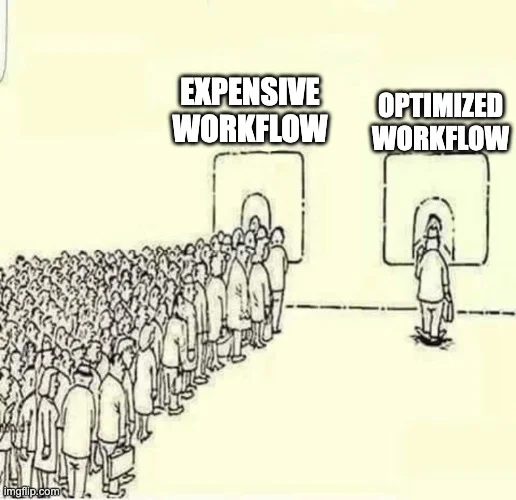
Remember the marketplace above, and the one day mid 2026 when usage jumped past 500,000 WUs. Here is what actually caused it. Traffic that day was only about 10 percent higher.
I checked which workflows ran to cause the spike. It was the ones with heavy database searches. A few extra visitors arrived, probably from a social media post. They all happened to use the parts of the app that cost the most to run!
Those workflows were decent. Not perfectly optimised, but close enough that fixing them would not have changed much based on usual user behavior. Two things follow from this.
Your post does well. Ten percent more people visit. People will try things and run workflows, which means more WUs in patterns you may not expect.
10% more traffic leading to over 5x more WU consumption is not rare. Which means every part of your app should ideally be optimized.
If it was slow growth: why bills rise on their own
A lot of founders ask whether this will keep happening. And my honest answer is yes, and in the best cases it is gradual. Even if you never add a single feature.
Your database gets bigger every month. Your searches run across more rows. So the same page costs more to load in June than it did in January. Plus like I mentioned in the migration article, Bubble apps gather tech debt over time, and that steadily compounds to make it more expensive, even when nothing else changes.
I wouldn't blame Bubble for that. It is just how nocode works. It is what happens when an app with a database designed for 5,000 rows is still being used at 500,000 rows. That is why a small fix will not solve it. Your app needs a re-architecture.
A general thumb-rule I follow.
Review your app's structure every time your users multiply by ten.
At 100 users. At 1,000. At 10,000.
A re-architecture goes way below the surface.
Most Bubble apps need part of their structure rebuilt to handle the next stage of growth. Your database tables may need to change shape completely. The way you store and search data may need a different approach. Some workflows and logic will need rewriting, because what worked at your old size does not work at your new one.
That sounds like a lot, and it is. But remember what you saw earlier on this page. Usage does not grow in a straight line. Ten percent more traffic caused five times the usage on one app.
So you are not preparing for ten times the load. You are preparing for something less predictable than that. This work needs care and time, and it is worth planning for rather than being surprised by.
The marketplace app went from 1,000 users to 12,000 without anyone doing this. That is exactly why it costs what it costs.
Grown past the way it was built?
If your app needs a re-architecture for the next stage of growth, a clean rebuild often costs less over time. Book a call and I will talk it through with you.
Seven most common fixes, in order of how much they save
Most people call this work optimizing your app. It means changing how your app is built so it uses fewer units. These are the fixes that have worked for me across eight years of Bubble work. The percentages are real reductions I measured.
Before you start, two warnings.
Some of these fixes work by moving work to the browser. That is not a trick, it is the balance described earlier on this page. You are choosing which side pays. Do too much of it and you get the other problem.
And once your app is large enough, a third thing needs balancing: how easy the app is to maintain going forward. On the biggest apps I have optimized, I had to introduce redundancy. Storing extra copies of data so each page load does fewer searches and fewer calculations. It works, but it adds tech debt. That debt compounds fast.
So you are not just choosing between cost and speed. You are choosing between cost, speed, and how much work your app will need from you later. The section after this list explains what that costs you.
Searches inside other searches
This means one search running inside the filter of another search. It is the most common cause of a high bill, and the easiest one to fix.
Typical saving: 20–30% on those workflowsLong lists with no paging
A list that loads every row onto one page, instead of showing 20 at a time. You pay for every row. Your users only look at a few.
Typical saving: 20–30% on those pagesFix your busiest pages first
Do not start with your worst page. Start with your most used page. Your worst workflow might run twice a week. An average workflow on your main dashboard might run thousands of times a week. Fixing the second one saves far more money. Open your usage graph. Start with the biggest bar.
Has cut a whole app's WU usage by up to 50%A database built for the searches you actually run
If your data is not organised around the searches your app performs, you pay extra on every single search. This one is expensive to fix later. That is why the review points above matter so much.
Advanced filters
These are usually a sign of problem number 4. An advanced filter runs after Bubble has already pulled the data. So you pay for all of it, then throw most of it away.
Calculate values in advance and store them
This is the big one. It takes the most work and saves the most. Instead of pulling data from several tables and doing math on the page, do the math ahead of time. Save the answer in its own table. Then just display the saved answer. This is what I did to the agency-built app, on the admin screen that was crashing browsers. Before, the page searched several tables and calculated on the fly. After, it read one table where everything was already worked out.
Cut that page's WU usage by 50–60%Stop repeating groups from running an extra query in every row
Each row in a repeating group should already have the data it needs. Here is an example. You show a list of users. For each user, you show their company name. If the company is stored in a separate table, every row runs its own database query. Fifty rows means fifty queries. There are two ways around this.
- Save the company name as text on the user record. Now each row has what it needs. The cost is that you must update this copy whenever a company changes its name.
- Or load the data once into a hidden repeating group on the page, and have the visible list read from that instead. This one is basically offloading the work to the browser.
So use it carefully. Both options are only worth doing if you use repeating groups on a busy page. Otherwise it is a lot of fiddly work for very little.
Redundancy solves this at a cost
All seven work. Here is the part other articles leave out.
Look at fixes 4, 6 and 7 again. They all work by storing a copy of something. A calculated value saved in a separate table. A company name copied onto a user record. A database reorganised around your screens.
Every copy means the same fact now exists in two (or more) places. Something has to keep all of them synced.
That feels fine on the day you build it. It becomes a problem a few months later. A new developer opens your app, finds a strange extra table, and has no idea why it exists.
So there is a real trade. You get a lower bill and a faster app. But maintaining the app now costs more.
If you do this work, write down why you did it. Mostly for whoever will work on it after you.
What it costs in time
Fixing usage is not a quick edit. The calculate-in-advance work I described took about 20 hours. That included planning the approach, building it, moving existing users onto it without breaking anything, and then fixing small problems that appeared afterwards.
At around $75 per hour, that is about $1,500. And it was only one of several rounds of work on that app.
A note on rates. A $40 per hour Bubble developer usually cannot do this work as effectively. It needs someone who understands app structure, has seen app lifecycles and has managed Bubble apps over a long time. That person costs more.
So the cheap hourly rate stops helping you at exactly the moment you need help.
And you will have to do it again
You fix your app today, when your table has 5,000 rows. Your table keeps growing. The same workflow costs more each month. Eventually you are back where you started. Except now the easy fixes are gone. You already used them.
So watch the gap between rounds of work. If it is getting shorter, that tells you more than the size of your bill.
Fixing the same things every few months?
Start with a free scan of your app. I fix what keeps breaking, or tell you if a rebuild would cost you less over time.
See how I fix Bubble apps →When optimizing stops working
There is a clear point where fixing stops helping, and it comes from the trade described near the top of this page.
You have reached it when both sides are maxed out at once. You cannot lower your server work any further without pushing more data into the browser. And you cannot lower the browser load any further without sending more work back to the server. At that point every fix is just moving the problem from one side to the other. Nothing gets better.
Two other signs point the same way. Your usage is spread across ten areas instead of one or two, so each round of work costs more than the last. And each fix buys you less time before you are back doing it again.
There are also cases where fixing was never going to work.
Machines use your app, not just people.
Think of IoT dashboards, or devices sending data every few minutes, or any polling mechanism. Every one of those calls costs units. That is your app working correctly, so there is nothing to fix.
You handle large files.
Bubble limits API responses to 50 MB. You cannot change that.
You need something Bubble cannot do.
Tasks that run for several minutes. Socket connections. Complex privacy rules.
The real question is not the bill
Founders contact me about the bill, because the bill has a number on it. But the bill is rarely why people leave. People leave when they realise the app needs attention every month, and that this will never stop.
Most founders do not want to look after a product. They want to run a business. The product is one part of that business, and often not the biggest part.
If your app needs your attention every month, it is not really working for you.
That is the real test. It is a different test from what your plan costs.
When you should stay on Bubble
You are inside your plan, and happy with the rest.
No overages on your bill, the app feels good for your users, and maintaining it is not eating your time or money. If all three hold, there is nothing to solve. Bubble makes sense for you at this stage. My own app ran 8,000 users on the Growth plan this way, without ever paying an overage.
You want to build the app yourself.
Bubble gives you a limited set of building blocks and a limited number of ways to join them, which you can genuinely learn. If you plan to be the builder for years, learn Bubble properly rather than moving to custom code, where the options are unlimited and easy to get wrong.
If you're unsure about Bubble, here's a comparison with custom code
Do not compare your Bubble plan against just a hosting bill. That comparison leaves out most of the cost on both sides. The cost of maintaining the app needs to be considered here.
Here is the real picture for an app the size of the marketplace. These are amounts I have actually charged clients over the past five years (and my rates aren't that high).
| Bubble | Custom code | |
|---|---|---|
| Plan or hosting | $134 | $50 |
| Workload tier and overages | $374 | none needed |
| Maintenance | $1,000 | $200 |
| Total per month | $1,508 | $250 |
About those maintenance numbers. $1,000 per month is the low end of what I have charged to look after Bubble apps this size. I have been charging that for over five years, across many clients.
$200 is the average my custom code clients actually spend. That includes clients who go quiet for months and come back when they need something. Both numbers come from the same invoices, for the same kind of client, over the same years.
Not included: rounds of new feature builds, updating the app for a higher usage level.
If you do the maintenance yourself, those costs do not disappear. They come out of your own time instead. Your time is way more valuable than anyone you'll hire.
Let's Calculate the savings with custom code
Doing the math in 2 steps
- Monthly saving = your Bubble total minus your custom code total.
- Months to pay it back = your rebuild quote divided by that saving.
Using the table above, the saving is $1,258 per month.
| Rebuild quote | Time to pay it back |
|---|---|
| $4,000 | 3 months |
| $8,000 | 6 months |
| $15,000 | 12 months |
Use your own numbers. If your maintenance costs are lower than mine, it takes longer to pay back. That is correct, and it should change your decision.
Do the numbers point to a rebuild?
Let's put real numbers on it: your app, your timeline, and what a rebuild would cost.
Actions you can take today
- 1Check whether you have a workload tier, or are paying overages. Spend five minutes looking at your plan. This can be the biggest single saving on this list.
- 2Open your workload unit graph. One bad day, slow growth, or just steadily high? Usage in one place, or spread out? Write down your answers.
- 3Identify all your API workflows exposed as webhooks. Make sure they all return a timely 200 response. Do this whatever your graph looks like. Then check whether you have more records than real events. Repeated work goes under the radar on a graph.
- 4If you saw one bad day, find that day on the graph. Look for looped backend WFs, any specific data fetch actions coming up repeatedly, or any page seemingly consuming a lot of WUs than others.
- 5List your five busiest pages. Busiest, not least optimized.
- 6On those five pages, look for searches inside searches, and long lists with no paging. This is where the 20 to 30 percent saving lives.
- 7Then decide. If your usage sits in one place, fix it, then put a note in your calendar to overhaul the app's structure so it can handle the next wave of users and traffic. If your usage is spread out, work through the math above before you spend more money on fixes.
If another surprise bill would really hurt you, turn overages off while you work through this list. Your app will stop instead of spending.
You do not need to decide about leaving Bubble this week. You only need to know which of the three problems you have.
Common questions
What is a workload unit?
It is how Bubble measures server work. Searches, workflows, page loads and API calls all use them. The Growth plan includes 250,000 per month. You pay extra for anything above that.
Why did my Bubble bill suddenly go up?
Usually more traffic landed on expensive pages, or a backend workflow scheduled itself more often than you meant. Check your usage graph for the day it jumped.
My graph looks normal but my bill is still too high. Why?
Something may be running more than once. I found one app where each Shopify purchase was processed an average of three times, because the app never sent back a success reply and Shopify kept resending the message. Waste like that never shows as a spike, because it happens on every message equally.
How many workload units should my app use?
There is no normal number. I have seen a 2,000-user app use a million per month, and an 8,000-user app stay inside its plan. It depends on how your app was built and how many people actively use it.
Is it cheaper to buy a workload tier or pay overages?
A tier is much cheaper. Tier 2 gives you 750,000 units for $99 per month, which is $0.132 per thousand. Paying afterwards costs $0.30 per thousand. Bubble also lowers your overage rate once you have a tier.
Can I stop Bubble charging me extra?
Yes. You can turn overages off in your App Plan settings. Your app then cannot spend more than your plan plus any tier you bought. The catch is that reaching the limit takes your app offline, and you get an email about it.
Can I fix this without leaving Bubble?
Often, yes. Open your usage graph. If one or two workflows use most of your units, you can fix it. If usage is spread across ten areas, you have already used the easy fixes, and each new round costs more than the last.
How do I know when I have reached Bubble’s limit?
When you cannot lower your server work without overloading the browser, and you cannot lower the browser load without sending more work back to the server. At that point every fix just moves the problem from one side to the other.
How long does this fixing work take?
Simple fixes take a few hours. Reorganising your data or storing calculated values took about 20 hours on one app. That included moving existing users across and fixing small problems afterwards.
Does Bubble refund overages?
Sometimes, partly. It is worth asking after an unexpected jump. Do not plan around it.
Will my costs keep rising even if I add nothing?
Yes, slowly. Your searches run across a bigger database every month, so the same page costs more over time. This is why reviewing your app at each stage of growth matters more than any single fix.